LeadsLeap Popup Generator is probably one of the more underrated tools in LeadsLeap.
But it can actually be very powerful when used properly.
For example, did you know that you can add an Exit Popup to your Track Links?
This means that when someone is about to leave the page you are promoting, you can show them one final offer.
You could use it to:
- Offer a free report or lead magnet
- Invite them to join your mailing list
- Promote a special bonus
- Direct them to another relevant page
- Present a last-minute offer that may be more attractive than the original one
Instead of simply losing a visitor when they leave the page, you get one more opportunity to turn that traffic into a lead, subscriber or customer.
And the best part is that you can do this even when the page itself is not yours, as long as you are promoting it through your LeadsLeap Track Link, with cloaking enabled.
Our Popup Templates Needed Some Love
There was just one problem.
Our popup templates were getting rather dated.
They worked, but many of them no longer reflected the kind of designs people are used to seeing on modern websites.
Finally, we’ve revamped the template library.
You will now find a much wider variety of designs, including modern minimalist layouts, video-based designs, retro styles, kawaii designs, comic-inspired layouts, luxury editorial designs and more.
Check out some of the new templates below:
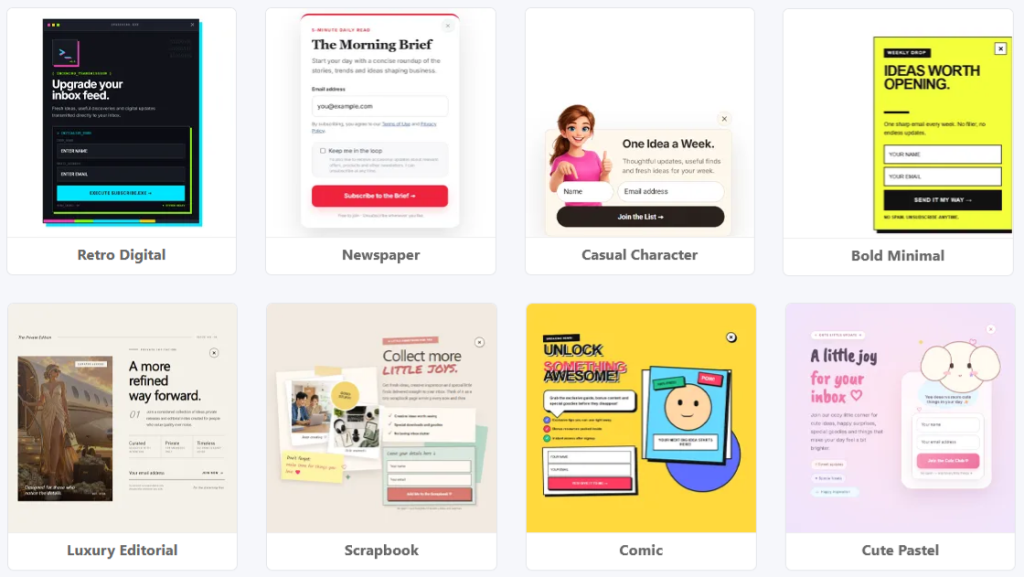
The new templates cover a wide range of styles and purposes, showcasing just how much you can create with PopupXpert.
You can create:
- Opt-in forms
- Exit offers
- Lead magnet promotions
- Video popups
- Call-to-action popups
- Full-screen promotions
- Announcement popups
- Blog opt-in forms
- Resource and affiliate recommendation cards
More Than Just New Templates
Besides revamping the templates, we have also added two new settings to PopupXpert:
Canvas Dimension and External CSS Links.
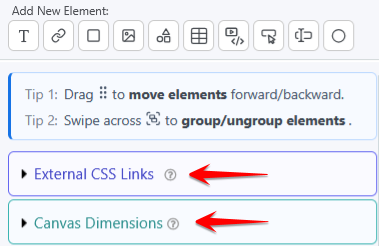
Both give you more control over how your designs look and behave.
Canvas Dimension
If you have used the LeadsLeap Page Builder, you are probably already familiar with the idea of a canvas.
The canvas is essentially the area in which your design sits.
PopupXpert now lets you manually specify the Canvas Width and Canvas Height.
In most cases, you do not need to touch these settings.
PopupXpert will automatically expand the canvas whenever your design requires more space. (Unlike the Page Builder, where the Canvas Width is fixed and only the Canvas Height can expand automatically.)
The manual settings are mainly useful when you deliberately want to create an offset from the default base.
For example, a bottom-right popup would sit close to the bottom-right corner of the browser. But by increasing the Canvas Height, you can intentionally create empty space underneath the popup.
The result is that the popup appears to float higher up the screen, like the example below.
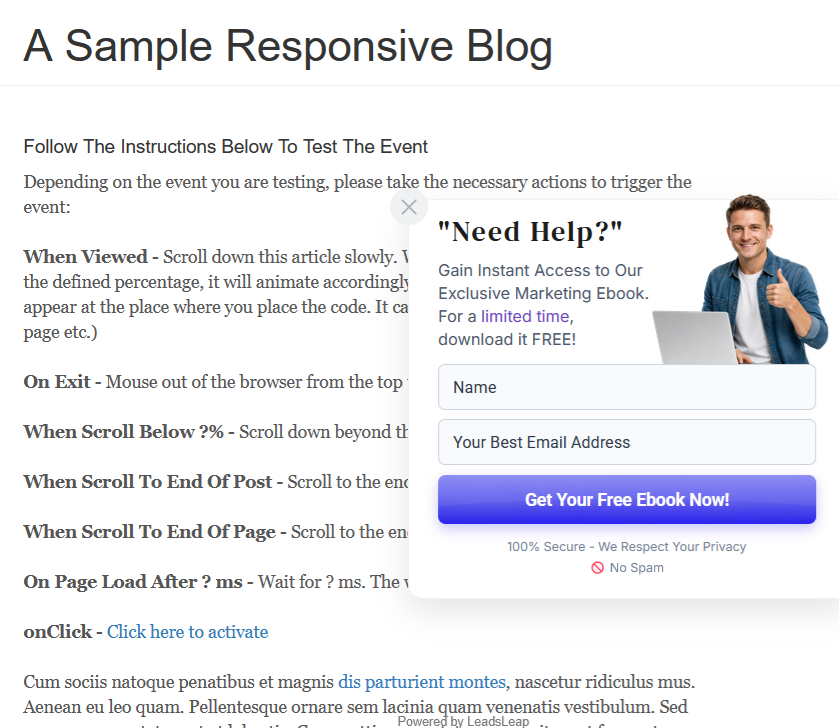
This gives you much more freedom when creating designs that do not follow the usual top, middle or bottom positioning.
External CSS Links
We have also introduced External CSS Links to both PopupXpert and the Page Builder.
This opens up quite a few new design possibilities.
One of the most useful ones is support for Google Fonts.
Previously, you were largely limited to the fonts already available inside the builder.
Now, if there is a Google Font that better matches your branding or design, you can simply add its stylesheet link.
Paste the Google Font link here:
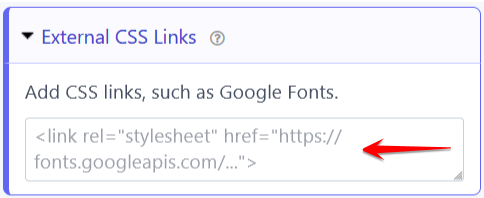
Once it has been added, the font will automatically appear in the Font Family list:
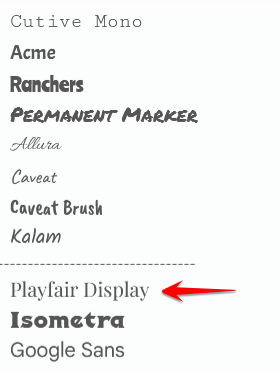
You can then use it just like any other Google Fonts inside the builder.
Give PopupXpert Another Look
If you have not used PopupXpert for a while, this is probably a good time to revisit it.
The new templates should serve as a great source of inspiration, showing you different ways to use PopupXpert and helping you create something unique that stands out from the crowd.
Whether you want to capture more leads, make better use of your Track Link traffic, promote an offer, show a video, or simply add a stronger call-to-action to a page, PopupXpert gives you another opportunity to make that traffic work harder for you.
Check out the new popup templates here.
I hope you will enjoy using them as much as I enjoyed putting them together.
External CSS Links!
And in the page builder, also!
Does this include a member’s own CSS hosted at their own domain or only public access sheets, such as Google or CloudFlare, etc.?
LeadsLeap crew is non-stop action!
Technically any css link. But I would avoid inserting custom css because it may break the builder as well as the design, since custom css can technically overide the default styles.
I have to wonder if you were leading up to custom CSS when you introduced custom IDs and classes.
On that note, that’s the workaround for anyone providing LeadsLeap set-up services, custom page templates with share codes, etc. Add a very unique prefix to custom IDs and classes to use in your custom styles.
Examples:
.DSFunnelNameSqueeze1-header
#DSFunnelNameSqueeze1-wrap
.DSFunnelNameSqueeze1-footer
You get the point… This will avoid any clashes with LeadsLeap’s built-in styles.
Yes, that should work. But again, the question is, why do you need custom CSS?
There should be enough styling options in the builder to create most common designs, as demonstrated in our new templates. Using custom CSS may simply complicate future maintenance, as you may end up wondering why certain styles cannot be changed through the builder.
Nice!
Seems they never forget to remind newbe what’s up.
Nio I’m still trying to figure it out
Sometimes the best way to figure things out is just do it!
The “What’s New” banner should have said, “What’s Poppin'” LOL!
It’s done 😉
🤣 LOL, You Rock! 🤟
I am really digging this program, I am just going through checking out everything.
Nice, thanks a lot!
This might not be the right place to ask this but I’m new here so I haven’t found everything yet.
Are there any tools on Leadleap that might help me with setting up a simple CPA marketing campaign or if not that just something that might make it easier to get started. Maybe a tool or something that I didn’t know about before. Also, am I in the wrong place for that all together? What I mean is does the traffic produced here convert with that kind of campaign or help it at all?
I would really like to get into the CPA or Performance Marketing thing and if Leadsleap could help me do it that would be awesome because of the Simplicity and how easy it makes things for the other stuff I’ve tried on here. Any guidance from anyone that might point me in the right direction would be greatly appreciated.
Regardless of what you promote, you can’t really get away from the need to create a marketing funnel using tools such as a page, popup, and autoresponder. These are exactly the types of tools LeadsLeap provides to help you build that funnel.
As for advertising, LeadsLeap is quite strict when it comes to CPA offers. This is because many CPA offers can be misleading, and in the past we received a lot of complaints from members about them. Because of this, many CPA offers are not allowed to be promoted through LeadsLeap advertising.
But CPA is a general term. A few bad CPA companies don’t mean that all CPA offers are bad, just like a few scam MLM companies don’t mean that all MLMs are bad.
this nice love to learn more!
Wow, this is an awesome update. Thank you, Kenneth!