I’m excited to announce the biggest SendSteed update we’ve ever released!
A cleaner List Manager, a simpler Email Design interface, and a more powerful Email Editor with customizable building blocks.
Creating beautiful emails has never been easier!
If you’re using SendSteed, or planning to, here’s what’s new.
1) A Cleaner, Simpler List Manager
The first thing you’ll notice is that the List Manager looks different!
We’ve introduced a cleaner, less cluttered design with mobile-friendly menus, making it easier to find what you need without being overwhelmed by buttons.
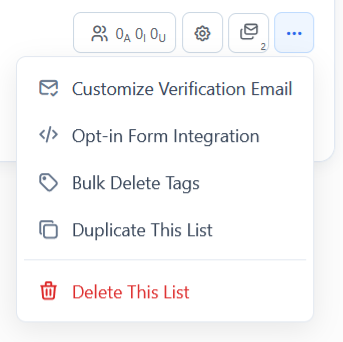
SPOILER: You’re actually getting a sneak peek at the future LeadsLeap member area!
We’ll gradually bring this design to other parts of LeadsLeap, but first, we’d love your feedback.
Take a look and let us know what you think. What do you like? What could be better?
2) Welcome Email Has Moved
If you’re a Free Member wondering where to set up your Welcome Email, it’s now under Email Series.
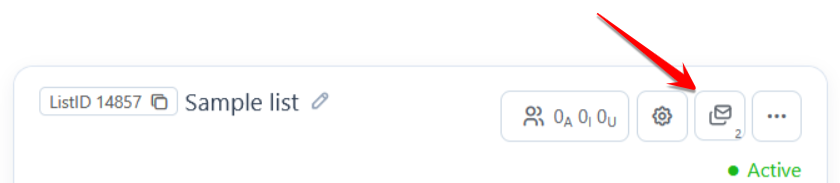
Here’s something else that’s new.
Free Members can now set up Email Series!
You can prepare and test your automated follow-up emails before upgrading. A Pro Membership is only required when you’re ready to send them.
This means you can get everything ready at your own pace.
3) Your Subscriber View, Your Way
Previously, you could choose which columns to display when viewing your subscribers.
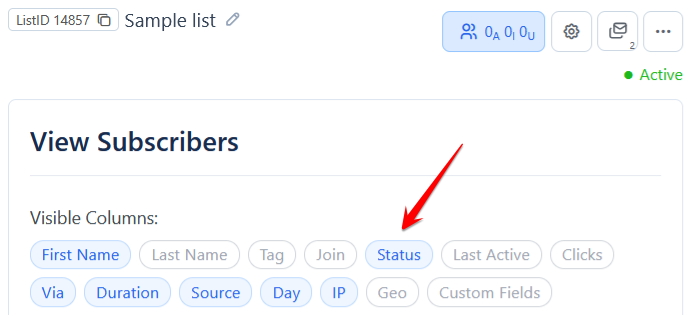
The problem? You had to make those selections again.
Not anymore!
The List Manager now remembers your column preferences in your browser.
The next time you view your subscribers, the information you care about will already be there.
A small change, but a big time-saver!
4) Beautiful Email Designs Made Easy
Now for the more exciting updates!
We’ve completely revamped the Email Design section, giving you more flexibility and control over how your emails look.
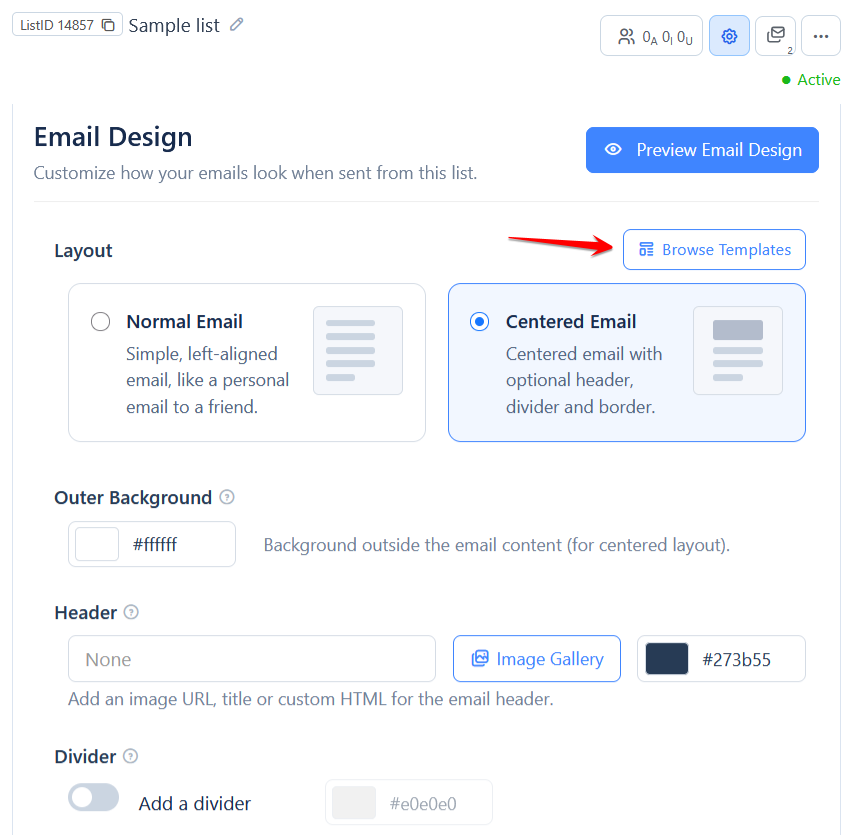
Simply click Browse Template (see arrow about) to choose a ready-made design, or create your own using the easy-to-use settings.
Here are some examples of the email design you can choose.
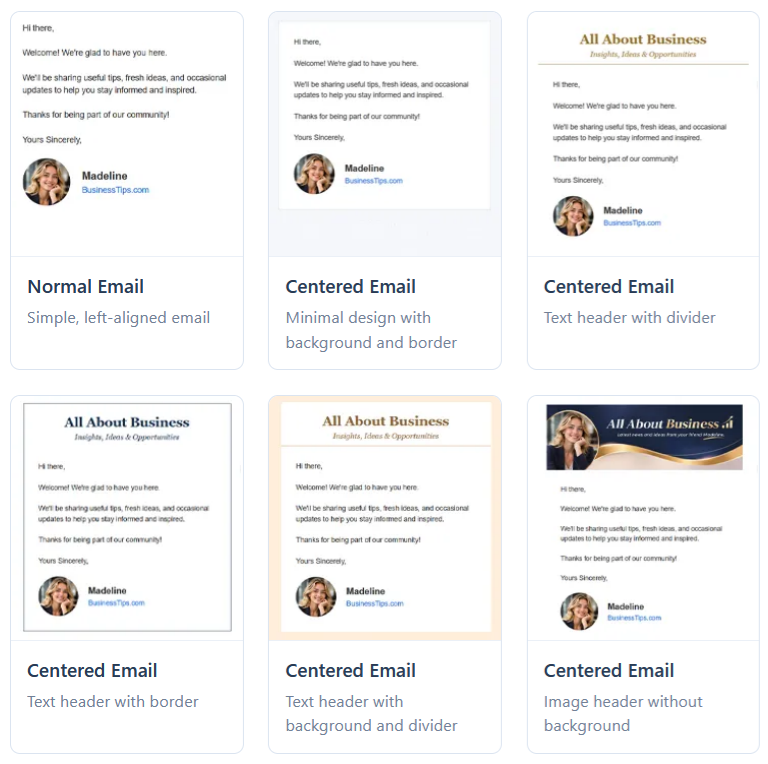
Just pick a look you like and make it yours!
5) Set Your Default Email Font and Colors Once
Ever get tired of setting the same font size, font color, font family, and background color every time you write an email?
We’ve made that easier too!
You’ll now find a Default Email Font and Color option in the email editor toolbar.
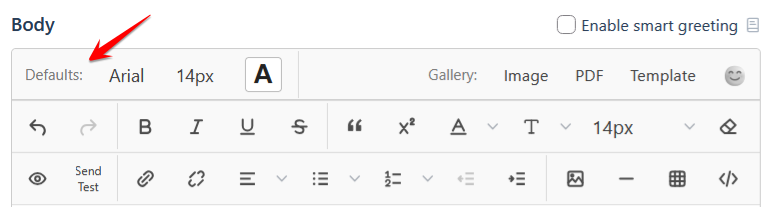
Here’s the best part.
Your next email automatically inherits the defaults from your previous email.
For broadcasts, the defaults come from your most recent broadcast, regardless of its status.
For Email Series, the defaults come from the email on the last day of the series.
Set your preferred style once, and you won’t have to keep repeating yourself!
6) Build Beautiful Emails with Ready-Made Blocks
I’ve saved the best for last!
This is the update we’ve spent the most time working on.
You’ll now see a Gallery option on the right side of the email editor toolbar.
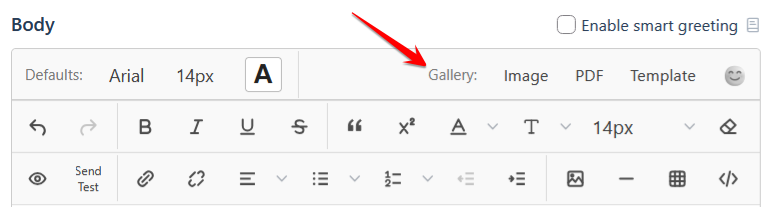
And if you have a sharp eye, you might have noticed something else… You can now add emojis to your emails ! 😄
But that’s not what I want to talk about.
Click Template in the Gallery section. You’ll see this:
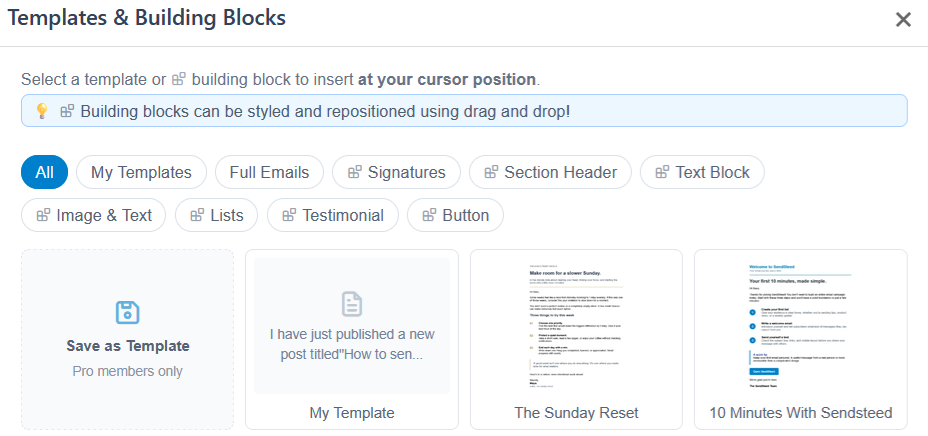
Pro Members can save and reuse their own email templates. That’s not new.
What’s new is, we’ve introduced something powerful: Building Blocks!
Think of them as ready-made pieces of an email, such as headings, buttons, feature lists, testimonials.
See the examples below:
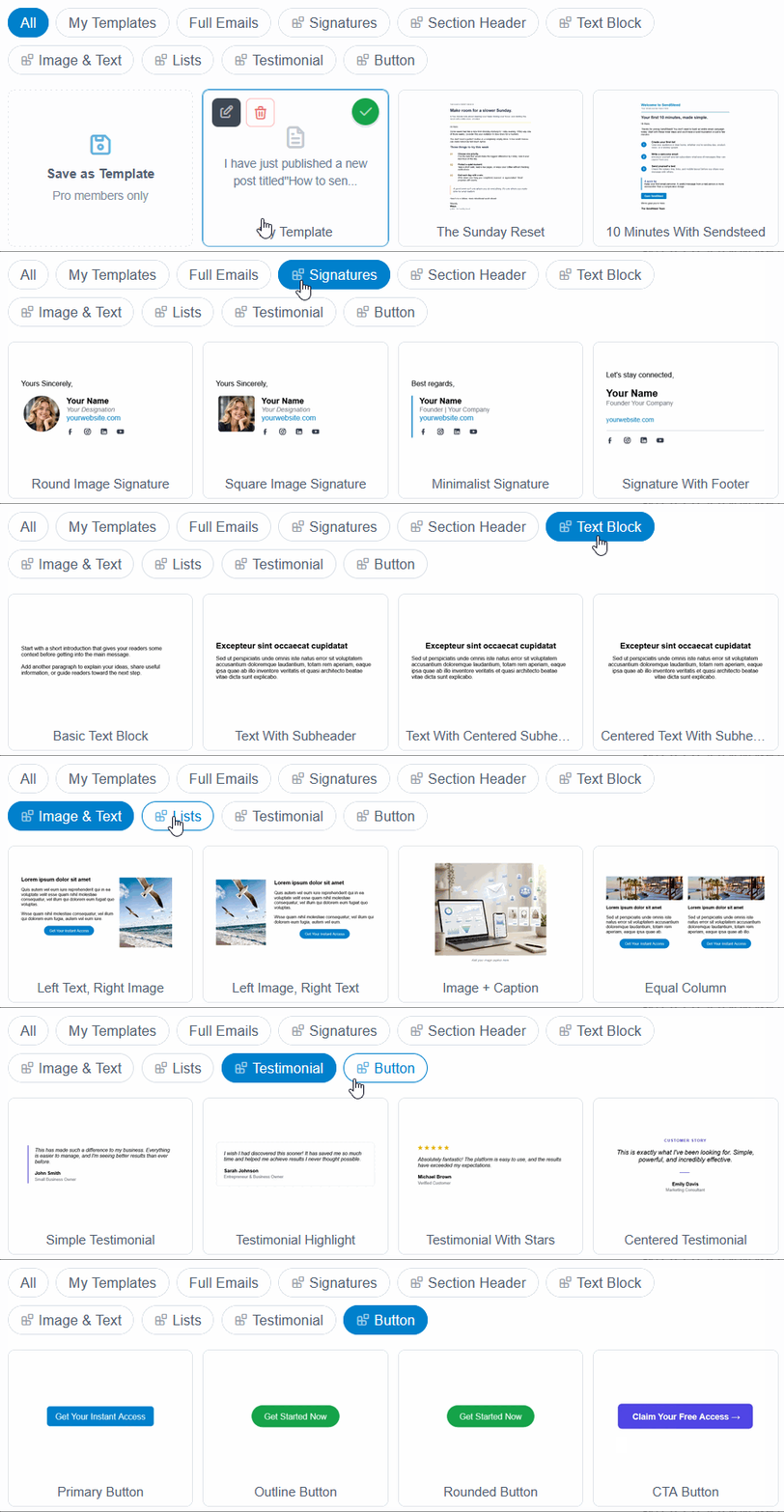
Instead of designing everything from scratch, just pick a block and insert it into your email.
And here’s where it gets interesting.
You can customize these blocks directly inside the editor!
Change their background colors, borders, rounded corners, padding, and margins. You can even drag them around to rearrange your email.
It’s much easier to show than explain, so check out this quick demo!
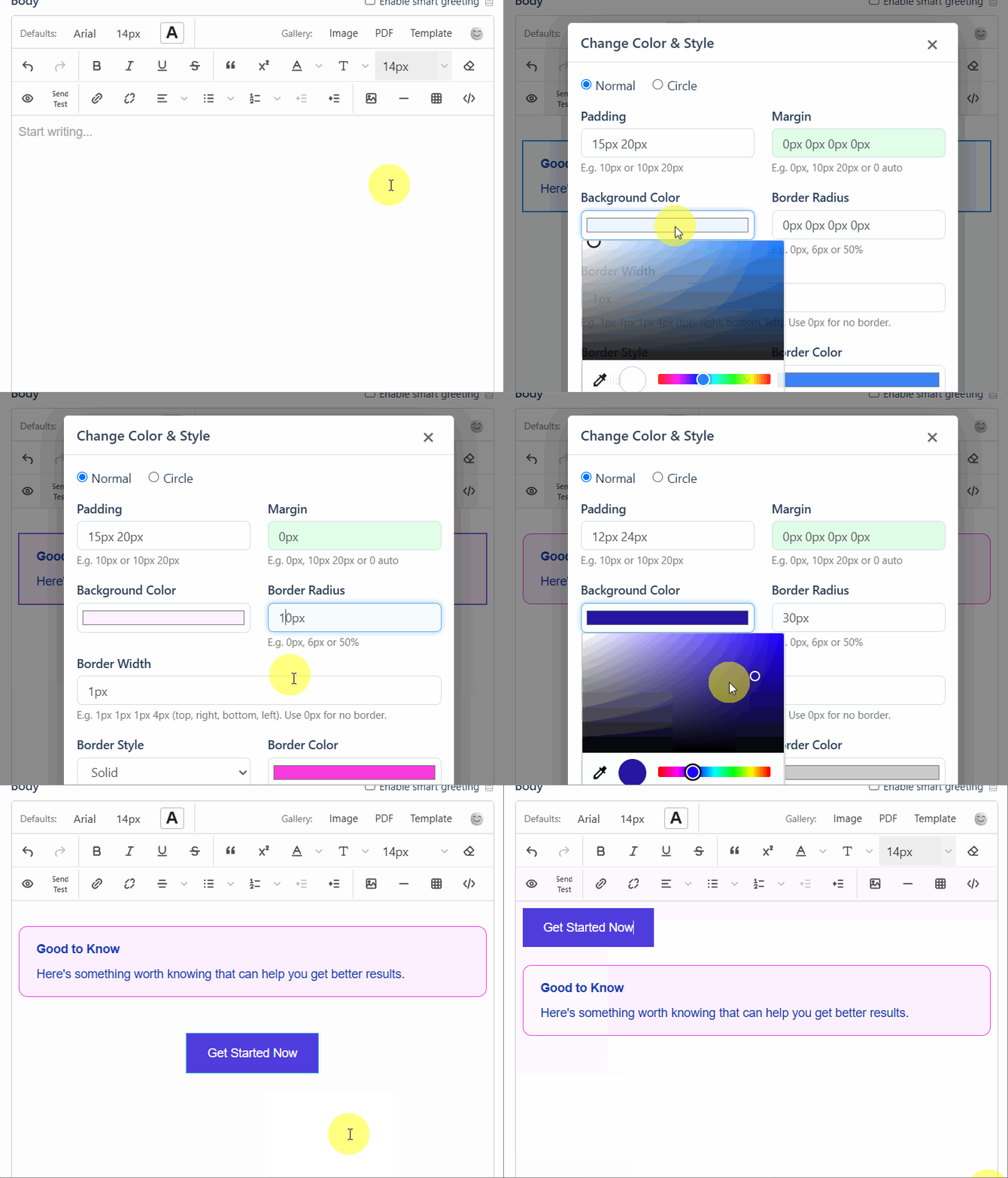
The new editor comes with popup toolbars for editing tables, links, blocks, blockquotes, dividers, and images.
At first, they might be overwhelming.
Here’s a little tip: look at the label in the popup toolbar.
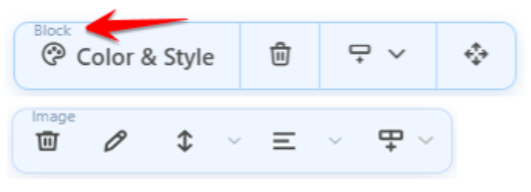
It tells you exactly what you’re editing, whether it’s a Block, Table, Image, or something else.
Once you get familiar with it, you’ll find that you can do a lot more without touching any HTML code!
7) A Brand-New SendSteed Homepage!
We’ve also given the SendSteed homepage a fresh new look!
If you haven’t started using SendSteed yet, it’s a great place to discover what SendSteed can do for you.
Promoting LeadsLeap? You can now use the SendSteed homepage as your landing page!
Simply share your referral link:
https://sendsteed.com/?r=yourusername
Just replace yourusername with your LeadsLeap username.
Give It a Try!
That’s a lot of updates, but they all come down to one thing:
Less time fiddling with settings and formatting. More time creating emails that connect with your subscribers.
Head over to SendSteed and give the new features a try.
And please let me know what you think, especially about the new List Manager and email editor.
Your feedback will help us make SendSteed, and eventually the rest of LeadsLeap, even better.
Happy emailing!
Wow, another new update. This is incredible. Thank you so much, Kenneth. Really appreciate this.
You’re most welcome. Thanks for your support as always!